Google Videos API:如何抓取 Google 影片搜尋結果
了解如何使用 SERP API 抓取 Google 影片搜尋結果,收集影片標題、URL、來源、縮圖、時長、日期、排名位置和本地化搜尋資料,用於 SEO、內容和 AI 工作流。



影片搜尋已經不是 SEO 裡的邊角料。
很多查詢裡,使用者不只想讀一篇文章。他們想看 demo、review、tutorial、webinar、walkthrough、comparison、product test 或 event clip。這意味著影片搜尋結果會影響使用者如何發現品牌、產品、主題和創作者。
問題是,手動檢查 Google Videos 很難規模化。
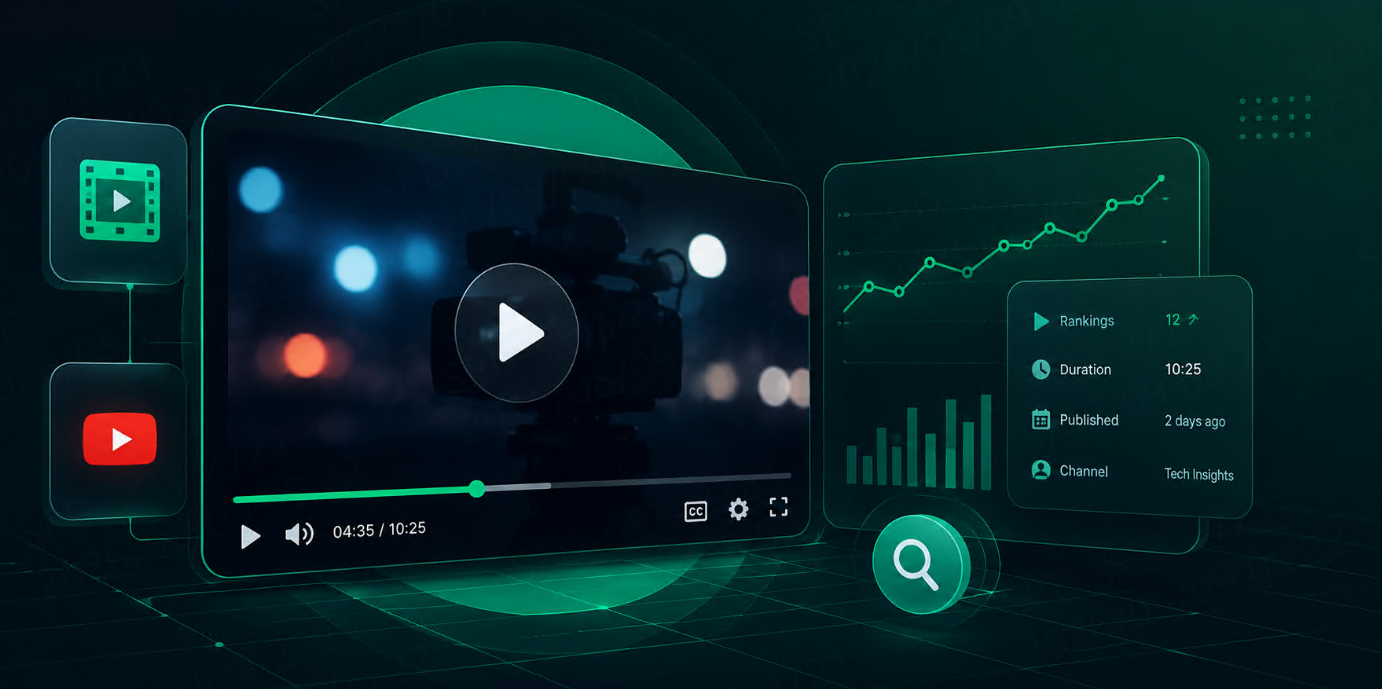
Google Videos API 可以把影片搜尋結果變成結構化資料。你不需要打開 Google、切到 Videos tab、複製連結、貼到試算表。工作流可以直接送出 query,然後取得 video title、URL、source、thumbnail、duration、date、snippet 和 ranking position 等欄位。
Talordata 的 SERP API 頁面把 Google Videos 列為支援的 Google result type 之一,同時也支援結構化搜尋結果資料、JSON / HTML 輸出和 geo-targeted SERP data。
快速回答
要抓取 Google 影片搜尋結果,可以使用 SERP API 的 Google Videos engine,傳入搜尋查詢,必要時設定 country、language、location 等本地化參數,然後把返回的影片結果解析到資料庫、試算表、看板或 AI workflow。
基本流程如下:
Keyword list
→ Google Videos API request
→ Parse video results
→ Extract title, URL, source, thumbnail, duration, date, position
→ Store snapshots
→ Compare visibility over time
為什麼要抓取 Google 影片搜尋結果?
影片結果能顯示 Google 對某個視覺型或教學型搜尋意圖展示了哪些內容。
團隊通常會用影片搜尋資料回答這些問題:
|
問題 |
為什麼重要 |
|---|---|
|
哪些影片出現在目標關鍵字下? |
衡量影片搜尋可見度 |
|
哪些平台佔據結果? |
幫助選擇 YouTube、短影音平台、媒體站或其他分發渠道 |
|
哪些競品經常出現? |
支援競品影片監控 |
|
哪些主題會觸發影片結果? |
支援內容規劃 |
|
哪些影片長期保持排名? |
找出穩定內容機會 |
|
新影片是否替代舊影片? |
支援趨勢監控 |
這對 SEO、內容、品牌、產品行銷、AI 和市場研究團隊都很有用。
可以收集哪些資料?
一個實用的 Google Videos API workflow 通常會收集這些欄位:
|
欄位 |
用途 |
|---|---|
|
|
觸發結果的查詢 |
|
|
Google Videos 中的排名位置 |
|
|
搜尋結果中展示的影片標題 |
|
|
影片或來源頁連結 |
|
|
平台或發布方 |
|
|
視覺預覽 |
|
|
影片時長 |
|
|
發布或可見日期 |
|
|
簡短描述 |
|
|
創作者或發布者 |
|
|
搜尋地區上下文 |
|
|
搜尋語言上下文 |
|
|
歷史比較時間戳 |
Talordata 的 Google Videos 文章也提到類似資料點,包括 title、URL、source、thumbnail、publication date、duration、ranking position、snippet、channel,以及可用時的 key moments。
Google Videos API vs YouTube API
Google Videos API 和 YouTube API 不是一回事。
|
API 類型 |
看到的是什麼 |
|---|---|
|
Google Videos API |
Google 影片搜尋結果中出現的內容 |
|
YouTube API |
YouTube 平台內部資料 |
|
SERP API |
搜尋引擎結果頁資料 |
|
Channel analytics |
自有頻道表現 |
如果你只關心自己的 YouTube 頻道,YouTube analytics 可能夠用。
但如果你關心的是使用者在 Google video search 中看到哪些影片來源,Google Videos API 會更合適。
例如,Google Videos 可能展示 YouTube、新聞網站、社交平台、出版商、產品頁或其他被索引的影片來源。只看 YouTube 會漏掉一部分搜尋可見度。
Step 1:準備關鍵字
先從一組聚焦的 keyword 開始。
KEYWORDS = [
    "how to use project management software",
    "crm software demo",
    "best standing desk review",
    "python data visualization tutorial",
]
常見影片搜尋關鍵字通常包含:
-
how to
-
tutorial
-
demo
-
review
-
comparison
-
setup
-
unboxing
-
webinar
-
walkthrough
-
product name
-
brand name
不要一開始就追蹤幾千個關鍵字。先小規模檢查返回資料,再擴展。
Step 2:定義搜尋上下文
影片結果會因 country、language 和 location 變化。
SEARCH_CONTEXTS = [
    {
        "country": "us",
        "language": "en",
        "location": "United States",
        "device": "desktop",
    },
    {
        "country": "gb",
        "language": "en",
        "location": "London, England, United Kingdom",
        "device": "desktop",
    },
]
這對 SEO 和市場研究很重要。
美國排名靠前的影片,不一定在英國、日本、巴西或德國同樣可見。
Talordata 參數文件的索引片段顯示,Google Videos request 可使用 engine=google_videos、q 和 json=1;更完整的參數整理也列出了 gl、hl、lr、location、uule、start、num、tbs、safe、nfpr 和 filter 等 Google Videos 相關參數。
Step 3:發送 Google Videos request
用環境變數保存 API key 和 endpoint。
import os
import requests


SERP_API_KEY = os.getenv("TALORDATA_API_KEY")
SERP_ENDPOINT = os.getenv("TALORDATA_SERP_ENDPOINT")


def call_google_videos_api(query, context):
    if not SERP_API_KEY:
        raise RuntimeError("Missing TALORDATA_API_KEY")

    if not SERP_ENDPOINT:
        raise RuntimeError("Missing TALORDATA_SERP_ENDPOINT")

    headers = {
        "Authorization": f"Bearer {SERP_API_KEY}",
        "Content-Type": "application/x-www-form-urlencoded",
    }

    data = {
        "engine": "google_videos",
        "q": query,
        "json": "1",
        "gl": context["country"],
        "hl": context["language"],
        "location": context["location"],
        "device": context["device"],
        "num": "20",
    }

    response = requests.post(
        SERP_ENDPOINT,
        headers=headers,
        data=data,
        timeout=30,
    )

    response.raise_for_status()
    return response.json()
請求函式只處理驗證、參數和 HTTP 錯誤。
解析邏輯應該放到單獨函式裡。
Step 4:標準化影片結果
不同 SERP layout 可能返回不同欄位,所以 parser 要保留彈性。
def clean_text(value):
    if not value:
        return ""
    return " ".join(str(value).split())


def get_video_results(response_json):
    return (
        response_json.get("video_results")
        or response_json.get("videos_results")
        or response_json.get("videos")
        or response_json.get("results")
        or []
    )


def normalize_video_results(response_json):
    rows = []

    for index, item in enumerate(get_video_results(response_json), start=1):
        rows.append({
            "position": item.get("position") or item.get("rank") or index,
            "title": clean_text(item.get("title")),
            "url": item.get("link") or item.get("url") or "",
            "source": clean_text(item.get("source") or item.get("displayed_link")),
            "thumbnail": item.get("thumbnail") or "",
            "duration": clean_text(item.get("duration")),
            "date": clean_text(item.get("date")),
            "snippet": clean_text(item.get("snippet") or item.get("description")),
            "channel": clean_text(item.get("channel") or item.get("author")),
        })

    return rows
重點不是猜中所有欄位,而是建立團隊內部穩定可用的資料格式。
Step 5:輸出 CSV
第一版用 CSV 就夠。
import csv
from datetime import datetime, timezone


CSV_COLUMNS = [
    "keyword",
    "country",
    "language",
    "location",
    "device",
    "position",
    "title",
    "url",
    "source",
    "thumbnail",
    "duration",
    "date",
    "snippet",
    "channel",
    "collected_at",
]


def export_video_results(rows, filename="google_video_results.csv"):
    with open(filename, mode="w", newline="", encoding="utf-8") as file:
        writer = csv.DictWriter(file, fieldnames=CSV_COLUMNS)
        writer.writeheader()
        writer.writerows(rows)
然後執行完整流程:
def run_video_search_collection():
    collected_at = datetime.now(timezone.utc).isoformat()
    output_rows = []

    for keyword in KEYWORDS:
        for context in SEARCH_CONTEXTS:
            response_json = call_google_videos_api(keyword, context)
            video_results = normalize_video_results(response_json)

            for video in video_results:
                output_rows.append({
                    "keyword": keyword,
                    "country": context["country"],
                    "language": context["language"],
                    "location": context["location"],
                    "device": context["device"],
                    "position": video["position"],
                    "title": video["title"],
                    "url": video["url"],
                    "source": video["source"],
                    "thumbnail": video["thumbnail"],
                    "duration": video["duration"],
                    "date": video["date"],
                    "snippet": video["snippet"],
                    "channel": video["channel"],
                    "collected_at": collected_at,
                })

    export_video_results(output_rows)


if __name__ == "__main__":
    run_video_search_collection()
這樣你就得到了一份 video search snapshot。
每天或每週執行,就能追蹤變化。
Step 6:保存快照用於追蹤
單次結果只是一張快照。真正價值來自比較。
資料表可以這樣設計:
|
欄位 |
類型 |
|---|---|
|
|
UUID 或 integer |
|
|
Text |
|
|
Text |
|
|
Text |
|
|
Text |
|
|
Text |
|
|
Integer |
|
|
Text |
|
|
Text |
|
|
Text |
|
|
Text |
|
|
Text |
|
|
Text |
|
|
Timestamp |
有了歷史資料,就能回答:
-
哪些影片可見度提升?
-
哪些影片排名下降?
-
哪些競品反覆出現?
-
哪些平台佔據結果?
-
哪些關鍵字更容易出現影片結果?
-
哪些主題需要新影片內容?
-
哪種影片格式可見度更持久?
這會把影片搜尋變成可以衡量的內容和 SEO 信號。
常見使用場景
Video SEO monitoring
追蹤你的影片是否出現在目標關鍵字下,以及排名位置是否上升或下降。
Competitor video tracking
監控競品影片、產品評測、webinar、tutorial 和 comparison content 是否出現在 Google Videos。
Content gap analysis
如果重要關鍵字大量出現影片結果,但你的品牌沒有影片內容,這可能是內容機會。
Brand monitoring
追蹤品牌、產品、高管、活動或 campaign 查詢,看使用者可能看到哪些影片。
AI and RAG workflows
結構化影片搜尋資料可以幫助 AI 系統發現新鮮多媒體來源、分類主題並生成研究摘要。
Talordata SERP API 頁面也把 AI search and agent integration、SEO rank monitoring、brand and competitor monitoring、local SEO、news monitoring 和 e-commerce intelligence 列為結構化 SERP data 的相關使用場景。
Best practices
保持關鍵字列表聚焦。按 intent 分組後,影片結果更容易分析。
始終保存搜尋上下文。Keyword、country、language、location、device 和 timestamp 對比較很重要。
把 video results 和 organic web results 分開。它們回答的是不同可見度問題。
追蹤 source platform。YouTube、publisher sites、短影音平台和 news sites 的表現方式可能不同。
不要只依賴一次快照。影片結果變化可能很快,尤其是新聞、活動、產品發布和熱門話題。
重要關鍵字要人工檢查 thumbnail 和 title。影片搜尋具有視覺屬性,單靠 metadata 可能看不出呈現品質。
工作流和看板優先用 structured JSON。只有在需要原始 SERP 檢查或自訂 debug 時才使用 HTML。
FAQ
什麼是 Google Videos API?
Google Videos API 用於收集 Google 影片搜尋結果,並返回影片標題、URL、來源、縮圖、時長、日期、摘要和排名位置等結構化資料。
為什麼要抓取 Google 影片搜尋結果?
團隊會抓取 Google 影片搜尋結果,用於監控 video SEO、競品可見度、品牌呈現、內容缺口和多媒體搜尋趨勢。
應該收集哪些影片搜尋欄位?
可以從 keyword、position、title、URL、source、thumbnail、duration、date、snippet、channel、location、language、device 和 timestamp 開始。
Google Videos API 和 YouTube API 一樣嗎?
不一樣。YouTube API 顯示 YouTube 平台資料。Google Videos API 顯示 Google 影片搜尋結果,可能包含 YouTube 和其他影片來源。
影片搜尋資料對 SEO 有用嗎?
有用。它可以幫助 SEO 和內容團隊理解哪些影片出現在目標關鍵字下、哪些競品可見,以及哪些主題需要影片內容。
影片搜尋資料能支援 AI workflow 嗎?
可以。AI 系統可以使用結構化影片搜尋資料做 source discovery、topic research、content classification 和 RAG workflow。
應該多久收集一次 Google 影片結果?
常青主題每週追蹤通常足夠。新聞、產品發布、品牌監控和快速變化的競品主題,適合每日追蹤。