Best Google Shopping APIs for E-Commerce Price Monitoring
Compare the best Google Shopping APIs for e-commerce price monitoring. This guide covers TalorData, SerpApi, DataForSEO, SearchAPI, Bright Data, Oxylabs, Zenserp, and Google Merchant API, with use cases for price tracking, competitor monitoring, product visibility, seller analysis, and AI workflows.



Google Shopping is one of the most useful public data sources for e-commerce price monitoring.
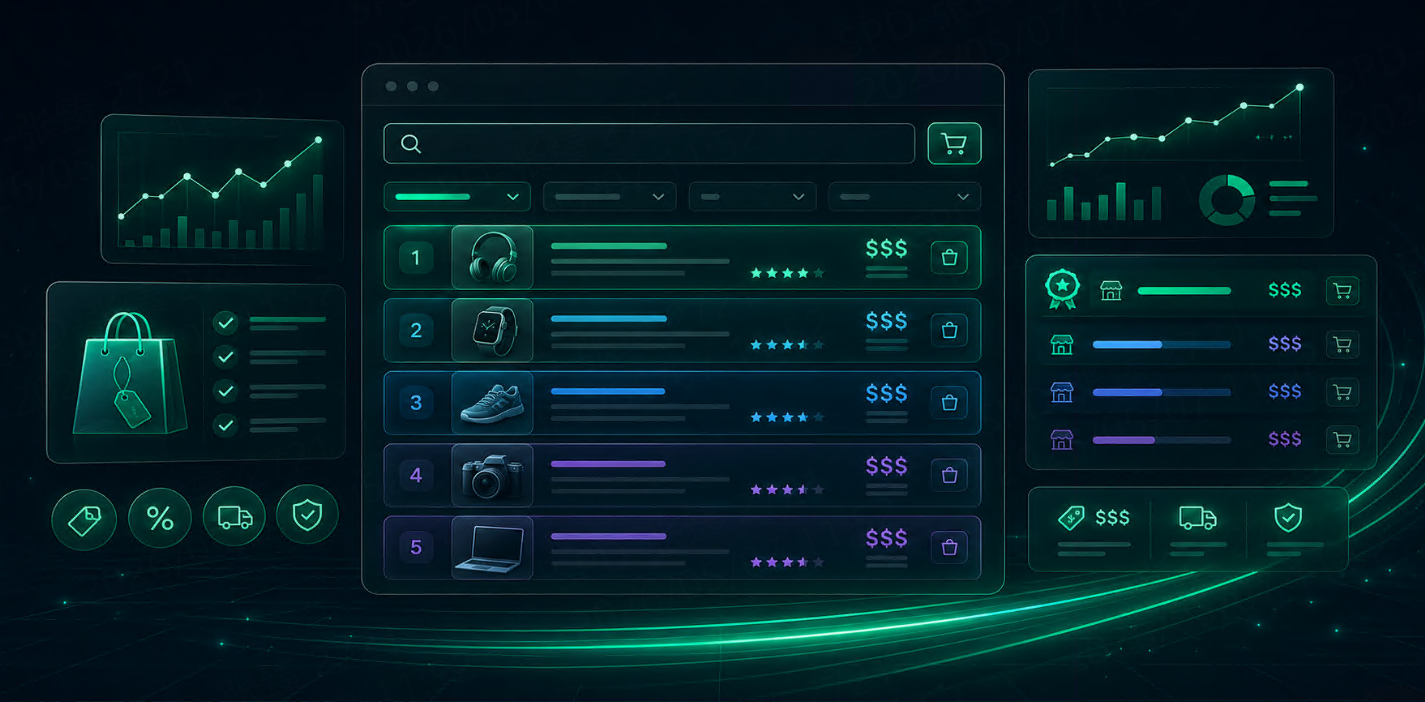
It shows how products appear in a buying-focused search environment: titles, prices, merchants, images, ratings, reviews, product URLs, discounts, and product visibility. For e-commerce teams, that data can support price tracking, competitor monitoring, assortment research, promotion analysis, and marketplace reporting.
The challenge is not checking one product manually.
The challenge is collecting Google Shopping data repeatedly, across keywords, countries, devices, sellers, and product categories.
That is where Google Shopping APIs help.
A practical price monitoring workflow looks like this:
Product keyword list
↓
Google Shopping API
↓
Structured product results
↓
Price, seller, rating, URL, and position extraction
↓
Historical snapshots
↓
Alerts, dashboards, reports, or AI analysis
This guide compares the best Google Shopping APIs for e-commerce price monitoring, including TalorData, SerpApi, DataForSEO, SearchAPI, Bright Data, Oxylabs, Zenserp, and Google’s own Merchant APIs.
Quick Comparison
| API | Best For | Main Strength | Important Note |
| TalorData SERP API | E-commerce price monitoring and Shopping SERP workflows | Structured Google Shopping data for recurring monitoring | Best fit when teams need repeatable search data workflows |
| SerpApi Google Shopping API | Fast developer setup | Mature Google Shopping endpoint and clear parameters | Good for quick integration and prototyping |
| DataForSEO Merchant API | Large-scale SEO and e-commerce data platforms | Product, seller, and review data | Strong fit for data products and queue-based collection |
| SearchAPI Google Shopping API | Developer-friendly SERP workflows | Broad Google targets and clean docs | Useful for teams that need many Google SERP endpoints |
| Bright Data Google Shopping API | Enterprise scraping infrastructure | Product details, prices, sellers, reviews, global collection | Best for teams already using enterprise web data infrastructure |
| Oxylabs SERP / Shopping scraping | Enterprise scraping and custom extraction | Parsed Google Shopping data and broader scraping stack | Good for larger teams with infrastructure requirements |
| Zenserp Google Shopping API | Lightweight Google Shopping API access | Simple setup and small free tier | Better for smaller tests than heavy production workflows |
| Google Merchant API / Content API | Managing your own Merchant Center data | Product feed, inventory, promotions, account management | Not designed for public competitor price monitoring |
What Makes a Good Google Shopping API for Price Monitoring?
A Google Shopping API for price monitoring should do more than return a page of products.
It should make product data usable over time.
Important criteria include:
| Criteria | Why It Matters |
| Product title | Helps match similar listings |
| Current price | Core field for price monitoring |
| Old price or discount | Useful for promotion tracking |
| Merchant or seller | Shows who is offering the product |
| Product URL | Links to the source page |
| Product image | Supports visual review |
| Rating and review count | Adds trust and demand signals |
| Ranking position | Shows shopping visibility |
| Country and language | Makes market comparison possible |
| Device and location | Helps with localized tracking |
| Structured JSON | Makes automation easier |
| Stable pricing | Matters when monitoring many products |
| API reliability | Recurring jobs need consistency |
For price monitoring, the API should also support snapshots.
A single response shows one moment. Repeated responses show market movement.
1. TalorData SERP API
Best for: structured Google Shopping price monitoring workflows
TalorData SERP API is built for teams that need structured, repeatable search data from Google Shopping and other search surfaces. With TalorData, e-commerce teams can collect product titles, prices, merchants, images, ratings, URLs, ranking positions, and related Shopping result signals, then use that data in dashboards, alerts, AI workflows, or internal monitoring systems.
TalorData’s own Google Shopping workflow content highlights the core fields e-commerce teams usually collect: product title, price, currency, merchant name, product URL, image, rating, review count, and ranking position. It also frames Google Shopping data as useful for price tracking, competitor monitoring, product visibility analysis, and market research. View Google Shopping API documentation
TalorData is a strong fit when the workflow needs to be:
| Requirement | Why TalorData Fits |
| Recurring price monitoring | Supports repeatable structured collection |
| Category-level comparison | Useful for tracking many keywords and products |
| Competitor visibility analysis | Helps identify which sellers appear repeatedly |
| AI-ready workflows | Structured data can be passed into agents, reports, or RAG workflows |
| Cost-sensitive scaling | TalorData SERP API pricing is shown as starting from $1.2 per 1k responses on the public site navigation at the time of review. |
TalorData is best when price monitoring is not a one-off scrape, but an ongoing business process.
Example use cases:
- Daily price tracking by product category
- Competitor offer monitoring
- Discount and promotion tracking
- Merchant visibility reports
- Shopping result snapshots
- AI-generated e-commerce market summaries
2. SerpApi Google Shopping API
Best for: fast developer setup and simple Google Shopping extraction
SerpApi provides a dedicated Google Shopping API endpoint using engine=google_shopping. Its documentation describes parameters such as q, location, gl, hl, device, min_price, max_price, sorting, pagination, cache control, and async behavior.
SerpApi is a good option for developers who want a quick way to request Google Shopping results and receive parsed output.
Useful for:
| Use Case | Why SerpApi Works |
| Prototyping | Easy endpoint and clear docs |
| Developer testing | Playground and parameter examples |
| Shopping result extraction | Dedicated Google Shopping API |
| Location-aware search | Supports location and country parameters |
| Price filtering | Supports price range parameters |
SerpApi also documents cached search behavior, where cached results can be served when query and parameters match, with cache expiration after one hour.
That can be useful for reducing repeated requests, but teams doing real-time price monitoring should decide when cached data is acceptable and when fresh collection is required.
3. DataForSEO Merchant API
Best for: large-scale product, seller, and review data workflows
DataForSEO offers a Merchant API with Google Shopping products, product specs, sellers, reviews, and ad URL endpoints. Its Google Shopping page says the API provides data on product listings, specifications, sellers, and customer reviews.
This makes DataForSEO a good fit for teams building larger SEO, e-commerce, or data products.
Useful for:
| Use Case | Why DataForSEO Works |
| Product catalog intelligence | Supports product listings and specs |
| Seller monitoring | Includes seller-focused endpoints |
| Review analysis | Includes Google Shopping review data |
| Large data platforms | API stack is designed for SEO and marketing data products |
| Queue-based collection | Pricing page shows standard and priority queues for Google Shopping data. |
DataForSEO is especially relevant when price monitoring is part of a broader e-commerce data product, not just a dashboard.
The tradeoff is complexity. Teams should evaluate queue behavior, response time, endpoint selection, and data model requirements before integrating.
4. SearchAPI Google Shopping API
Best for: developer-friendly Google SERP workflows
SearchAPI provides a Google Shopping endpoint at /api/v1/search?engine=google_shopping. Its docs show parameters such as gl, hl, location, and q, and describe retrieving Google Shopping products in JSON format.
SearchAPI also supports many related Google targets, including Google Product, Product Offers, Product Specs, Product Reviews, Shopping Filters, Shopping Autocomplete, and other Google SERP endpoints.
This makes it useful for teams that want to combine Google Shopping data with other Google search surfaces.
Useful for:
| Use Case | Why SearchAPI Works |
| Google Shopping extraction | Dedicated Shopping endpoint |
| Product detail workflows | Product and offer endpoints available |
| Filter exploration | Shopping filters endpoint available |
| Developer workflows | Clear endpoint format and docs |
| Multi-SERP projects | Broad Google endpoint coverage |
SearchAPI is a good fit when developers want a clean SERP API style workflow and may need more than one Google search vertical.
5. Bright Data Google Shopping API
Best for: enterprise product data collection
Bright Data offers a Google Shopping API for collecting product details, prices, seller information, and customer reviews from global locations. Its product page also highlights JSON, HTML, and Markdown delivery, successful delivery pricing, and geo-location targeting.
Bright Data is best suited for teams that already operate enterprise web data workflows or need a broader scraping infrastructure around Google Shopping.
Useful for:
| Use Case | Why Bright Data Works |
| Enterprise price monitoring | Designed for larger data collection needs |
| Global product research | Supports global location targeting |
| Seller and review analysis | Product page highlights seller and review data |
| Multiple output formats | JSON, HTML, and Markdown delivery |
| Web data infrastructure | Fits teams using broader Bright Data tooling |
Bright Data can be a strong option when a team needs enterprise-level infrastructure and is less focused on a lightweight SERP-only workflow.
6. Oxylabs Google Shopping / SERP Scraper API
Best for: enterprise scraping workflows and custom extraction
Oxylabs provides search engine scraping APIs, including Google SERP and Google Shopping-related targets. Its developer documentation for Shopping Search describes extracting Google Shopping results with parsed data for organic product listings and paid listing ads, including pricing, ratings, and reviews.
Oxylabs also positions its SERP scraping API around public search engine data collection, real-time extraction, proxy handling, CAPTCHA handling, scheduling, batch scraping, and JavaScript rendering.
Useful for:
| Use Case | Why Oxylabs Works |
| Enterprise scraping | Strong infrastructure positioning |
| Parsed Shopping results | Shopping docs mention pricing, ratings, and reviews |
| Batch collection | Useful for recurring monitoring |
| Custom extraction | Broader scraper stack available |
| Large-scale operations | Better fit for teams with bigger data needs |
Oxylabs is a good fit when price monitoring sits inside a wider web data infrastructure project.
7. Zenserp Google Shopping API
Best for: smaller teams and lightweight testing
Zenserp offers a Google Shopping Search API for product data, and its public pages mention a free plan with 50 API requests per month.
Zenserp is useful when teams want to test Google Shopping extraction before committing to a larger provider.
Useful for:
| Use Case | Why Zenserp Works |
| Small tests | Free plan for limited usage |
| Lightweight Shopping API access | Google Shopping endpoint available |
| Early prototypes | Easier to start with smaller volume |
| Simple integration | Request builder and docs available |
| Low-volume workflows | Better fit than enterprise-scale monitoring |
Zenserp may not be the first choice for heavy price monitoring at scale, but it can work for early testing, prototypes, and low-volume workflows.
8. Google Merchant API and Content API for Shopping
Best for: managing your own Merchant Center data, not public competitor monitoring
Google’s own APIs are important, but they solve a different problem.
The Content API for Shopping allows developers to manage Google Merchant Center product data, including products, promotions, orders, inventory, and shipping. Google’s documentation also notes that Merchant API is the newer version for automated Merchant Center account management.
Google also provides Price Insights reports for merchants, including suggested sale prices and predicted performance changes for the merchant’s own products.
This is useful for:
| Use Case | Google API Fit |
| Managing product feeds | Strong fit |
| Updating inventory | Strong fit |
| Managing promotions | Strong fit |
| Merchant Center automation | Strong fit |
| Own-product price insights | Strong fit |
| Competitor price monitoring | Not the main use case |
| Public Google Shopping SERP tracking | Not the main use case |
Google Merchant APIs are not a replacement for a public Google Shopping SERP API.
Use Google Merchant APIs for your own Merchant Center operations. Use Google Shopping SERP APIs when you need to monitor public market visibility, competitor pricing, seller activity, and search result snapshots.
What Data Should You Track for Price Monitoring?
A practical Google Shopping price monitoring dataset should include:
| Field | Why It Matters |
| keyword | Search query used |
| country | Market being monitored |
| language | Search language |
| device | Desktop or mobile context |
| position | Shopping result visibility |
| product_title | Product listing title |
| price | Current displayed price |
| old_price | Previous or crossed-out price when available |
| currency | Required for market comparison |
| merchant | Seller or store name |
| product_url | Source URL |
| image_url | Visual verification |
| rating | Trust and demand signal |
| review_count | Popularity signal |
| collected_at | Snapshot time |
Example record:
{
  "keyword": "wireless headphones",
  "country": "us",
  "language": "en",
  "position": 3,
  "product_title": "Example Wireless Headphones Pro",
  "price": 79.99,
  "old_price": 99.99,
  "currency": "USD",
  "merchant": "Example Store",
  "product_url": "https://www.example.com/product",
  "rating": 4.6,
  "review_count": 1280,
  "collected_at": "2026-07-15T09:00:00Z"
}
For price monitoring, always store snapshots.
Overwriting the latest price destroys the history your team actually needs. A spreadsheet can do that kind of damage silently, because apparently chaos also supports cells.
How to Choose the Best Google Shopping API
Choose based on workflow, not just brand name.
| If You Need | Choose |
| Structured recurring Google Shopping monitoring | TalorData |
| Simple developer quick start | SerpApi |
| Large product, seller, and review data stack | DataForSEO |
| Broad Google SERP endpoint coverage | SearchAPI |
| Enterprise web data infrastructure | Bright Data or Oxylabs |
| Lightweight testing | Zenserp |
| Own Merchant Center management | Google Merchant API |
Recommended Choice by Scenario
Best Overall for E-Commerce Price Monitoring: TalorData
TalorData is the best fit when the core job is recurring Google Shopping price monitoring, competitor tracking, Shopping visibility reporting, and AI-ready structured search workflows.
Use TalorData when you need:
- Product price snapshots
- Merchant comparison
- Category-level tracking
- Shopping visibility monitoring
- Structured JSON for dashboards and AI workflows
- Repeatable API-driven data collection
Best for Developer Prototypes: SerpApi
SerpApi is strong for fast testing and simple developer integration. Its Google Shopping API docs are clear and the endpoint is straightforward.
Use it when speed of setup matters more than workflow customization.
Best for Large Data Products: DataForSEO
DataForSEO is a strong fit for companies building SEO platforms, e-commerce intelligence products, or large data applications that need product, seller, specs, and review data.
Use it when you need a broad data API stack and queue-based collection is acceptable.
Best for Enterprise Scraping Infrastructure: Bright Data or Oxylabs
Bright Data and Oxylabs are better suited for teams with larger web data operations, custom scraping needs, and enterprise infrastructure requirements.
Use them when Google Shopping is one part of a larger data collection system.
Best for Own Product Feed Management: Google Merchant API
Google Merchant API is not a competitor price monitoring API.
Use it to manage your own products, inventory, promotions, and Merchant Center operations.
Final Thoughts
The best Google Shopping API depends on what your team is building.
For one-off tests, a simple endpoint may be enough.
For enterprise web data pipelines, broader scraping infrastructure may be useful.
For your own product feed management, Google Merchant API is the right category.
For recurring e-commerce price monitoring, competitor tracking, Shopping visibility analysis, and structured search workflows, TalorData SERP API is built for that job.
The goal is not just to collect product data.
The goal is to turn Google Shopping results into a reliable monitoring system:
Search query
↓
Structured Shopping results
↓
Price and merchant extraction
↓
Historical snapshots
↓
Comparison, alerts, reports, and AI analysis
That is where Google Shopping data becomes operational.
Try Google Shopping API for free now>>
FAQ
What is a Google Shopping API?
A Google Shopping API lets developers collect or manage Google Shopping-related data. Third-party SERP APIs collect public Shopping search results, while Google Merchant APIs manage your own Merchant Center product data.
What is the best Google Shopping API for price monitoring?
For recurring e-commerce price monitoring and structured Google Shopping SERP workflows, TalorData is a strong choice. It is designed for structured search data collection that can support dashboards, alerts, reports, and AI workflows.
Is Google Merchant API useful for competitor price monitoring?
No. Google Merchant API is mainly for managing your own Merchant Center data, such as product feeds, inventory, promotions, and related account data. It is not designed to monitor public competitor pricing.
What fields should a Google Shopping API return?
At minimum, it should return product title, price, currency, merchant, product URL, image, rating, review count, position, country, language, and collection time.
Can Google Shopping data be used in AI workflows?
Yes. Structured Shopping data can support AI-generated price summaries, competitor reports, product category analysis, promotion monitoring, and e-commerce market research.