如何分析 Google 搜尋結果頁面(SERP)的標題與摘要
了解如何利用結構化搜尋資料分析 Google 搜尋結果頁面(SERP)的標題和摘要。本指南涵蓋了標題分析、摘要分析、搜尋意圖、競品對比、內容缺口、SERP 快照、AI 工作流程以及 TalorData 的應用場景。
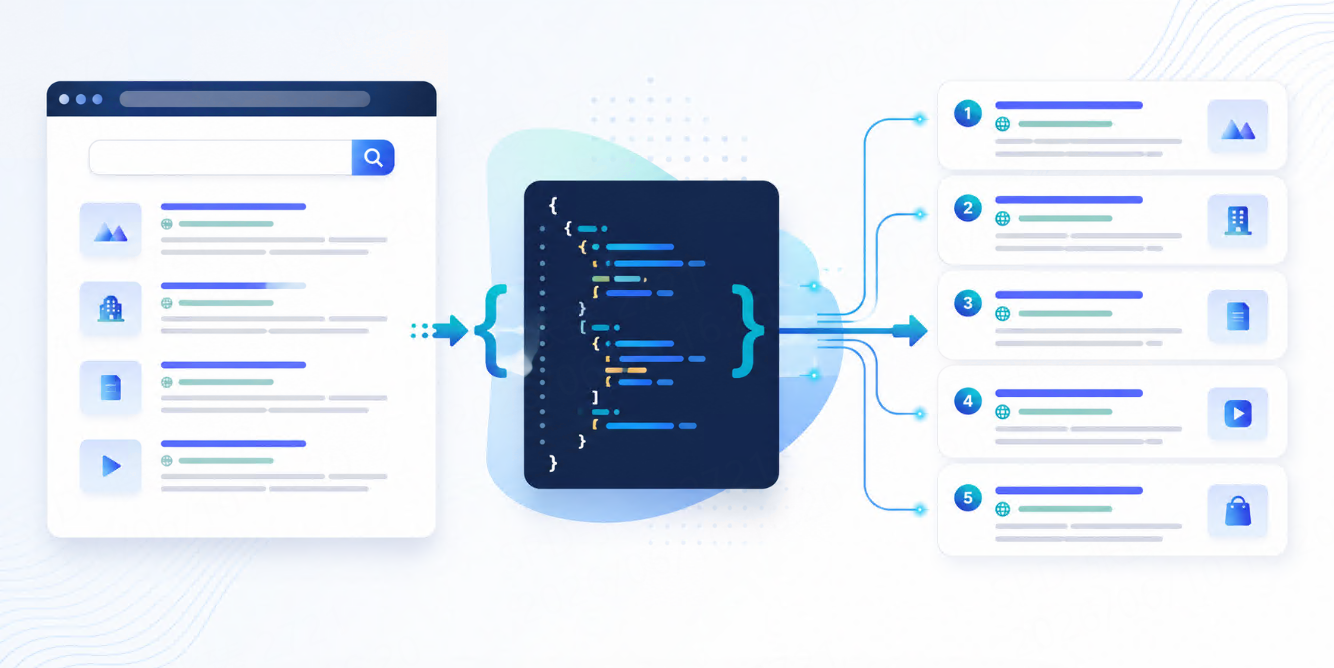



Google search results 不只是 links list。
每個 result 都包含 title、URL、snippet、ranking position 和 search context。這些元素共同影響使用者在點擊之前如何理解一個頁面。
對 SEO teams、content teams、agencies、ecommerce brands 和 AI products 來說,分析 Google SERP titles and snippets 可以幫助回答很多重要問題:
哪些 messages 出現在 search results 中?
哪些 competitors 的 titles 更有吸引力?
哪些 pages 更符合 search intent?
哪些 snippets 提到了 price、features、location 或 freshness?
哪些 keywords 下的 messaging 過時或太弱?
基本 workflow 如下:
Target keywords
   ↓
Google SERP data collection
   ↓
Titles and snippets extraction
   ↓
Text analysis
   ↓
SEO, content, competitor, and AI workflow insights
這篇會說明如何分析 Google SERP titles and snippets、需要收集哪些欄位、應追蹤哪些 metrics,以及 TalorData 如何支援可重複的 SERP analysis。
什麼是 SERP titles and snippets?
SERP title 是 Google Search result 中可點擊的 headline。
SERP snippet 是 title 和 URL 下方顯示的簡短描述或文字預覽。
一個典型 organic result 可能長這樣:
{
  "position": 2,
  "title": "How to Track Google Rankings by Location",
  "url": "https://example.com/google-rank-tracking",
  "domain": "example.com",
  "snippet": "Learn how to monitor Google rankings by keyword, country, city, and device with structured SERP data.",
  "result_type": "organic"
}
Title 告訴使用者這個頁面是什麼。
Snippet 給使用者一個點擊理由。
放在一起,它們就是 search result 的銷售文案,只是大家假裝它只是 metadata。人類很會給普通東西穿正式外套。
為什麼要分析 SERP titles and snippets?
Titles 和 snippets 有價值,因為它們展示的是使用者在 search results 中實際看到的內容。
這很重要,因為 Google Search 顯示的文字,不一定完全等於頁面裡寫的 title tag 或 meta description。Search engines 可能會根據 query context、page content 和 user intent 改寫 title 或生成 snippet。
所以,你應該分析 actual SERP output,而不是只看網站後台裡的 metadata。
常見 use cases 包括:
| Use case | What title and snippet analysis helps you understand |
| SEO optimization | 你的 search result 是否匹配 target keyword |
| CTR improvement | Title 和 snippet 是否有吸引力 |
| Competitor analysis | Competitors 如何定位自己的 pages |
| Content gap research | Top results 中出現了哪些 topics 和 angles |
| Brand monitoring | Brand message 是否正確出現 |
| Local SEO | Snippets 是否包含 location terms |
| Ecommerce research | 是否提到 price、delivery、rating 或 product terms |
| AI workflows | 哪些 snippets 可作為 search context |
如果 rankings 告訴你頁面出現在哪裡,titles 和 snippets 則告訴你頁面如何被呈現。
應該收集哪些資料?
要正確分析 titles 和 snippets,需要同時收集 result data 和 search context。
重要 result fields 包括:
| Field | Why it matters |
| Position | 顯示 result 出現位置 |
| Title | 主要可點擊文字 |
| URL | Ranking page |
| Domain | Website source |
| Snippet | Search 中顯示的文字預覽 |
| Result type | Organic、local、news、image、shopping 等 |
| Sitelinks | 可能增加 visibility 的額外 links |
| Displayed date | 對 freshness analysis 有用 |
| Breadcrumb | 幫助理解 page structure |
| Timestamp | 歷史比較需要 |
Search context 也必須保存:
| Context | Why it matters |
| Keyword | 定義 query |
| Country | Results 會因 market 不同 |
| Location | 對 local 和 regional searches 重要 |
| Language | 影響 titles 和 snippets |
| Device | Mobile 和 desktop 可能不同 |
| Collection time | Trend analysis 需要 |
沒有 search context,title 就只是漂浮文字。很詩意,沒什麼用。
Step 1:選擇要分析的 keywords
先從一組聚焦的 keywords 開始。
常見 keyword groups 包括:
| Keyword type | Example |
| Brand keywords | your brand name |
| Product keywords | SERP API、search data API |
| Service keywords | SEO monitoring service |
| Informational keywords | how to track keyword rankings |
| Commercial keywords | best rank tracking tool |
| Local keywords | dentist in Austin |
| Competitor keywords | competitor brand name |
| Ecommerce keywords | wireless headphones |
簡單 keyword file 可以長這樣:
[
  {
    "keyword": "SERP API",
    "group": "product",
    "intent": "commercial"
  },
  {
    "keyword": "how to track keyword rankings",
    "group": "content",
    "intent": "informational"
  },
  {
    "keyword": "local SEO monitoring",
    "group": "SEO",
    "intent": "commercial"
  }
]
不要一開始就分析公司開會時幻想過的所有 keywords。先從與 traffic、leads、revenue 或 strategic visibility 有關的 keywords 開始。
Step 2:收集 SERP results
針對每個 keyword,收集 structured Google search results。
典型 request 可能包括:
{
  "engine": "google",
  "q": "how to track keyword rankings",
  "country": "us",
  "language": "en",
  "device": "desktop"
}
簡化 SERP result 可能長這樣:
{
  "position": 1,
  "title": "How to Track Keyword Rankings: A Practical Guide",
  "url": "https://example.com/track-keyword-rankings",
  "domain": "example.com",
  "snippet": "Learn how to track keyword rankings by location, device, search engine, and keyword group.",
  "result_type": "organic"
}
做分析時,應保存 full SERP,而不是只保存自己的 result。
原因很簡單:title 和 snippet analysis 最有價值的地方,就是和 competing pages 比較。
Step 3:把 titles 和 snippets 保存為 snapshots
Search results 會隨時間變化。
SERP title 可能改變。Snippet 可能被重寫。Competitor 可能更新頁面後開始使用更好的 message。Google 也可能在同一個 page 下,因 query 不同而顯示不同 snippet。
所以 snapshots 很重要。
基本 storage table 可以是:
| Column | Purpose |
keyword | Search query |
keyword_group | Topic or campaign |
country | Market |
location | City、region 或 coordinates |
language | Search language |
device | Desktop or mobile |
collected_at | Snapshot time |
position | Ranking position |
title | SERP title |
snippet | SERP snippet |
url | Ranking URL |
domain | Ranking domain |
result_type | Organic、news、local 等 |
Snapshots 可以幫你比較:
this week vs last week
before update vs after update
your result vs competitor result
desktop vs mobile
United States vs United Kingdom
沒有 snapshots,你只是在看當前 SERP,然後期待記憶替你做 analytics。它不會。
Step 4:分析 SERP titles
先從 titles 開始。
常見 title analysis metrics 包括:
| Metric | What it shows |
| Keyword inclusion | Target keyword 是否出現在 title 中 |
| Brand inclusion | Brand name 是否出現 |
| Title length | Title 是否太短或太長 |
| Intent match | Title 是否匹配 query intent |
| Format | Guide、list、comparison、tool、template、review |
| Value proposition | Title 承諾了什麼 benefit |
| Freshness signal | 是否包含 year 或 updated terms |
| Local signal | 是否包含 city、country 或 region |
| Commercial signal | 是否包含 pricing、best、review、tool 等詞 |
| Question format | Title 是否回答問題 |
Title comparison example:
| Position | Title | Observed angle |
| 1 | How to Track Keyword Rankings: A Practical Guide | Educational guide |
| 2 | Keyword Rank Tracking: Tools, Metrics, and Reports | Tool and process angle |
| 3 | Best Keyword Rank Tracking Methods for SEO Teams | Commercial and SEO team angle |
這可以幫你看清楚 top-ranking content 的 pattern。
如果多數 top results 使用 “guide”,這個 query 可能是 informational。
如果很多 result 使用 “best”、“tools” 或 “pricing”,這個 query 可能偏 commercial。
如果 titles 包含 city names,這個 query 可能有 local intent。
Step 5:分析 SERP snippets
接著分析 snippets。
Snippets 通常可以看出 Google 認為哪些內容和 query 相關。
常見 snippet analysis metrics 包括:
| Metric | What it shows |
| Keyword mention | Snippet 是否包含 target keyword |
| Related terms | 出現了哪些 entities 或 subtopics |
| User benefit | Snippet 是否說清楚 outcome |
| Feature mention | 是否提到 tools、fields、reports、workflows |
| Freshness | 是否有日期或 current terms |
| Local terms | 是否有 city、region 或 “near me” context |
| Commercial terms | 是否有 price、plan、software、tool、comparison |
| Question answer | 是否直接回答 query |
| Call to action | 是否鼓勵 action |
| Content gap | Top snippets 提到但你的 snippet 沒提到什麼 |
Snippet analysis example:
| Snippet | What it signals |
| “Learn how to track keyword rankings by location and device…” | Practical SEO workflow |
| “Compare rank tracking metrics, reports, and keyword groups…” | Reporting and tool comparison |
| “Monitor your website visibility across Google search results…” | Visibility monitoring angle |
Snippets 很有價值,因為它們展示的是 search results 中實際出現的語言。
對 content teams 來說,這些資料可以用來優化 page introductions、headings、FAQs 和 metadata。
Step 6:把你的 result 和 competitors 比較
真正的價值來自比較。
對每個 keyword,把你的 title 和 snippet 與 top-ranking results 做比較。
可以問:
我們的 title 是否匹配 user intent?
我們的 snippet 是否足夠清楚?
Competitors 是否提到了我們沒提到的 benefits?
Competitors 是否使用更強的 commercial language?
Competitors 是否更直接回答了 query?
我們的 result 看起來是否過時?
我們是否提到了正確的 location、product 或 use case?
Comparison table 可以是:
| Domain | Position | Title angle | Snippet angle | Opportunity |
| yoursite.com | 5 | General guide | Mentions SEO monitoring | Add location and reporting details |
| competitor-a.com | 1 | Practical guide | Mentions location and device | Strong intent match |
| competitor-b.com | 2 | Tools and reports | Mentions dashboards | Strong commercial angle |
目標不是複製 competitors。
目標是理解 search result page 在獎勵什麼,以及 users 可能如何比較不同 results。
Step 7:從 titles 和 snippets 判斷 search intent
SERP titles 和 snippets 是快速判斷 search intent 的方法之一。
常見 intent patterns:
| Intent | SERP title and snippet signals |
| Informational | how to、guide、tutorial、learn、explained |
| Commercial | best、tools、software、pricing、comparison |
| Transactional | buy、order、discount、free trial、quote |
| Local | near me、city name、open now、address、phone |
| Navigational | brand names、login、official site |
| Research | examples、dataset、report、statistics、trends |
例如:
"How to analyze SERP snippets" → informational intent
"best SERP API for SEO" → commercial intent
"SERP API pricing" → transactional/commercial intent
"SEO agency near me" → local intent
理解 intent 後,就能調整 content format、page structure、title angle 和 snippet messaging。
Step 8:找出 content gaps
Title 和 snippet analysis 可以揭示你的 page 缺少什麼。
常見 content gaps 包括:
| Gap | Example |
| Missing keyword angle | Competitors 提到 “location”,你的 page 沒有 |
| Missing user benefit | Competitors 說清楚 outcome,你的 result 很模糊 |
| Missing freshness | Competitors 包含 current year 或 updated terms |
| Missing format match | Top results 是 tutorials,你的 page 像 product pitch |
| Missing local signal | Query 是 local,但 title 沒有 city 或 region |
| Missing feature detail | Competitors 提到 dashboards、exports、alerts、reports |
Content gap 不一定是缺少一段文字。有時是缺少一個 angle。
人類常常在這裡多加 800 字,而不是修正真正的 message。頁面變重了,沒有變好。
Step 9:追蹤變化
Titles 和 snippets 應該被長期監控。
有用的 change signals 包括:
| Change | Why it matters |
| Your title changed in SERP | Google 可能正在改寫或選擇不同文字 |
| Your snippet changed | Search context 或 page relevance 可能變了 |
| Competitor title changed | Competitor 可能更新了 content |
| Competitor snippet improved | 對方 page 可能更符合 intent |
| Ranking changed after snippet update | 值得檢查是否有關聯 |
| SERP intent changed | Query 可能開始偏好不同 content type |
Example monitoring logic:
If a competitor enters the top 3
and their title contains a new angle
and your page does not cover that angle,
review the content gap.
Search results 不是靜態文件,而是正在移動的證據。
Step 10:把 titles 和 snippets 用於 AI workflows
SERP titles 和 snippets 對 AI agents 和 RAG systems 很有用,因為它們提供了 compact search context。
它們可以幫助 AI systems:
| AI task | How titles and snippets help |
| Source discovery | 在 crawling 前識別相關 pages |
| Query understanding | 從 top results 推斷 search intent |
| Topic clustering | 按 title 和 snippet 分組 similar results |
| Content brief generation | 提取 common angles 和 questions |
| Competitor research | 總結 visible market messaging |
| RAG preprocessing | 判斷哪些 URLs 值得 retrieval |
安全的 AI workflow 可以是:
Collect SERP titles and snippets
   ↓
Filter relevant results
   ↓
Select source URLs
   ↓
Fetch or review source content
   ↓
Use approved content in RAG or AI workflows
不要只依賴 snippets 生成最終答案。Snippets 是有用 signals,不是完整 source material。是的,機器仍然需要真正的上下文,令人遺憾但合理。
TalorData 如何支援這個 workflow?
TalorData 可以作為 title 和 snippet analysis 的 structured SERP data layer。
你不需要人工搜尋 Google 再複製結果。團隊可以按 keyword、location、country、language 和 device 收集 SERP data,再把返回資料保存、分析、比較,並用於 dashboards 或 AI workflows。
實際 TalorData workflow 如下:
Keyword list
   ↓
TalorData SERP API
   ↓
Structured Google results
   ↓
Title and snippet analysis
   ↓
SEO reports, competitor insights, content briefs, AI workflows
TalorData 支援這些 workflows:
| Workflow | How title and snippet data helps |
| SEO monitoring | 追蹤 pages 在 search 中如何出現 |
| Competitor analysis | 比較不同 domains 的 messaging |
| Content planning | 發現 intent、angles 和 gaps |
| Local SEO | 分析 location-based result language |
| Ecommerce research | 追蹤 product 和 commercial messaging |
| AI agents | 提供 fresh search context |
| RAG workflows | 選擇 source URLs 進行 retrieval |
核心價值是 consistency。你可以長期分析同一組 keywords,而不是依賴人工檢查、screenshots,或某人一句 “我昨天好像看到了”。黑暗時代,能避免就避免。
結語
分析 Google SERP titles and snippets,可以幫助團隊理解 pages 在 search results 中如何被呈現。
它能展示你的網站如何出現、competitors 如何定位自己、search intent 長什麼樣,以及哪些 content gaps 可能正在影響 visibility。
流程很簡單:
Collect SERP data
Extract titles and snippets
Compare results by keyword
Analyze intent and messaging
Track changes over time
Turn insights into SEO and content actions
Ranking 告訴你在哪裡。
Titles 和 snippets 告訴你,使用者在決定是否點擊前看到了什麼。
FAQ
什麼是 SERP title?
SERP title 是 Google Search result 中可點擊的 headline。它可能來自 page title tag、page content、headings 或其他 signals。
什麼是 SERP snippet?
SERP snippet 是 search result 中 title 和 URL 下方顯示的簡短文字預覽,通常用來說明 page 為什麼和 query 相關。
為什麼要分析 SERP titles and snippets?
它們展示你的 pages 和 competitor pages 在 search results 中如何被呈現,有助於 SEO、CTR improvement、content planning 和 competitor analysis。
SERP snippets 和 meta descriptions 一樣嗎?
不一定。Google 可能會根據 query 和 page content 生成或改寫 snippets。
SERP title 和 snippet data 可以用於 AI workflows 嗎?
可以。Titles 和 snippets 可以幫助 AI agents 理解 search intent、識別 source URLs、做 topic clustering,並支援 RAG source selection。