如何比較桌面端和行動端的Google搜尋結果
了解如何利用結構化 SERP 資料對比桌面端與行動端的 Google 搜尋結果。本指南涵蓋排名差異、摘要(snippets)、SERP 功能、本地搜尋結果、競爭對手曝光度、報告、提醒以及 TalorData 工作流程。
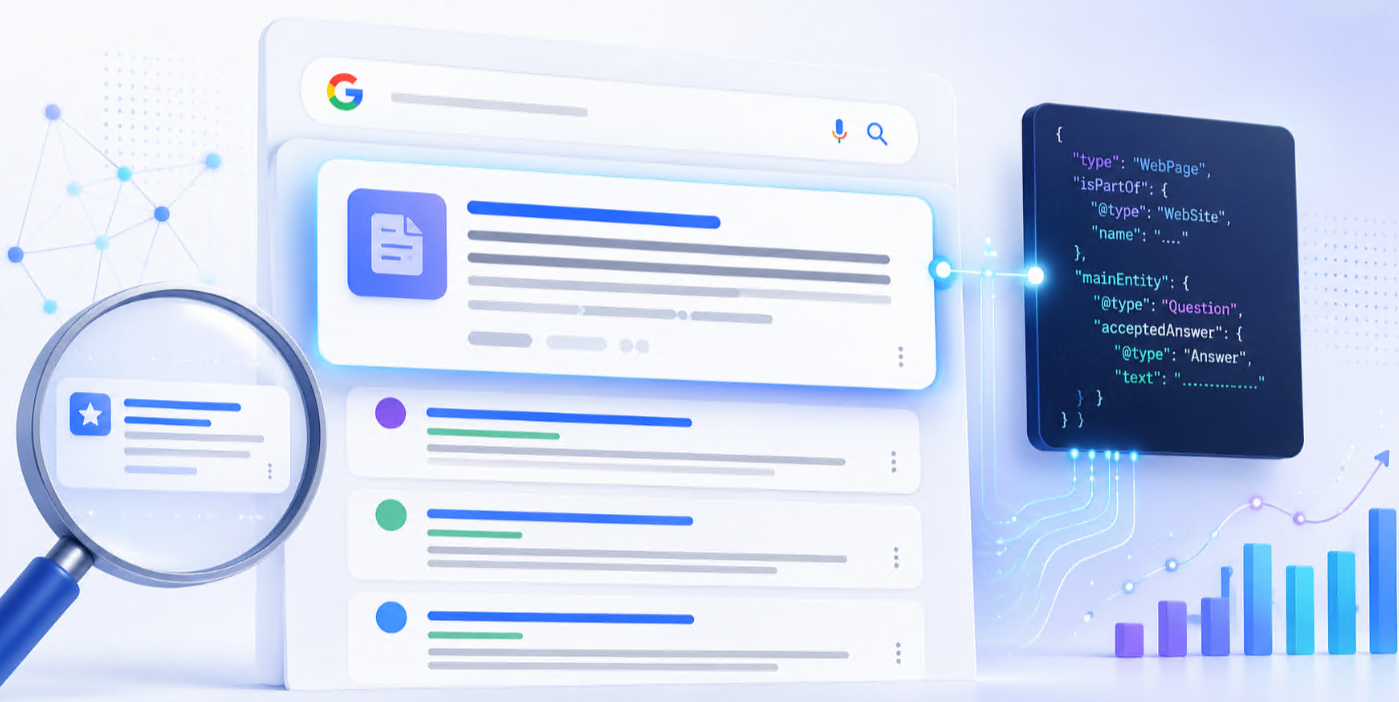



Google search results 在 desktop 和 mobile 上可能不同。
同一個 keyword,可能因 device 不同而顯示不同的 rankings、snippets、layouts、ads、local results、images、shopping modules 和 SERP features。
對 SEO teams、agencies、ecommerce brands、local businesses 和 AI products 來說,這很重要,因為使用者並不是只在一種固定格式裡體驗 search results。用 laptop 搜尋的人可能看到一組 results,用 phone 搜尋的人可能看到另一組。
如果你只追蹤 desktop results,可能會錯過 mobile users 實際看到的內容。
如果你只追蹤 mobile results,也可能錯過 desktop ranking patterns。
實際 comparison workflow 如下:
Keyword list
   ↓
Desktop Google SERP collection
   ↓
Mobile Google SERP collection
   ↓
Structured SERP data
   ↓
Ranking, layout, snippet, and SERP feature comparison
這篇會說明如何比較 desktop 和 mobile Google search results、要追蹤哪些欄位、要觀察哪些差異,以及 TalorData 如何支援可重複的 SERP monitoring。
為什麼要比較 desktop 和 mobile Google results?
Desktop 和 mobile search results 可能不同,因為 search experience 本身就不同。
Mobile screen 更小。Local results 可能更突出。Visual features 可能以不同方式出現。Snippets 可能更短,或以不同 layout 顯示。有些 SERP features 可能只在某個 device 上出現。
常見差異包括:
| Difference | Why it matters |
| Ranking position | 同一 URL 在 desktop 和 mobile 可能排名不同 |
| SERP layout | Mobile results 可能以不同順序展示 features |
| Snippets | 使用者看到的文字可能不同 |
| Local Pack | Mobile 上 local results 可能更重要 |
| Ads | Paid results 可能佔據更多可見空間 |
| Images | Visual modules 可能不同 |
| Shopping results | Product visibility 可能因 device 不同 |
| People Also Ask | Question modules 可能出現在不同位置 |
| Click experience | Mobile 一次可見 results 較少 |
Desktop 和 mobile 不只是兩種螢幕尺寸,而是兩種 search environments。畢竟一個 internet 對人類來說顯然太簡單了。
應該比較什麼?
好的 desktop vs mobile comparison 應該同時看 ranking data 和 SERP layout data。
先從這些欄位開始:
| Field | Why it matters |
| Keyword | 定義 query |
| Country | Results 會因 market 不同 |
| Location | 對 local 和 regional search 重要 |
| Language | 影響 titles 和 snippets |
| Device | Desktop 或 mobile |
| Timestamp | 比較需要 |
| Position | 顯示 ranking order |
| Title | 顯示 visible headline |
| URL | Ranking page |
| Domain | Website source |
| Snippet | Search 中顯示的文字預覽 |
| Result type | Organic、local、image、shopping、news 等 |
| SERP features | Featured snippet、PAA、Local Pack、images、ads、videos |
| Page depth | Result 出現在第一頁還是更深位置 |
最重要的規則很簡單:
Always store device as part of the search context.
如果沒有 device field,後面就無法可靠比較 desktop 和 mobile results。一個小欄位缺失,未來一整片混亂。很划算的災難。
Step 1:選擇要比較的 keywords
先選擇 device differences 可能重要的 keywords。
常見 keyword groups 包括:
| Keyword type | Example |
| Brand keywords | your brand name |
| Product keywords | wireless headphones |
| Commercial keywords | best CRM software |
| Local keywords | dentist near me |
| Ecommerce keywords | running shoes |
| Informational keywords | how to track Google rankings |
| Service keywords | emergency plumber |
| Comparison keywords | best SEO API |
簡單 keyword file 可以長這樣:
[
  {
    "keyword": "best CRM software",
    "group": "software",
    "intent": "commercial"
  },
  {
    "keyword": "dentist near me",
    "group": "local",
    "intent": "local"
  },
  {
    "keyword": "wireless headphones",
    "group": "ecommerce",
    "intent": "shopping"
  }
]
一開始不需要比較所有 keywords。先從會影響 traffic、leads、revenue、local visibility 或 product discovery 的 keywords 開始。
Step 2:定義 location 和 language
Desktop 和 mobile comparison 只有在 search context 被控制時才有意義。
每個 keyword 都要保持 location 和 language 一致。
Example:
{
  "keyword": "best CRM software",
  "country": "us",
  "location": "Austin, Texas, United States",
  "language": "en"
}
然後針對同一個 keyword 和 location,同時收集 desktop 和 mobile results。
best CRM software + Austin + desktop
best CRM software + Austin + mobile
這樣你比較的是 device difference,而不是把 location、language 和 device 混成一鍋漂亮的資料粥。
對 local SEO 來說,location 尤其重要。Mobile search 裡的 “coffee shop near me” 或 “dentist near me” 很可能受到 local context 強烈影響。
Step 3:收集 desktop 和 mobile SERP data
要比較 devices,需要收集兩組 result sets。
Desktop request:
{
  "engine": "google",
  "q": "best CRM software",
  "location": "Austin, Texas, United States",
  "language": "en",
  "device": "desktop"
}
Mobile request:
{
  "engine": "google",
  "q": "best CRM software",
  "location": "Austin, Texas, United States",
  "language": "en",
  "device": "mobile"
}
簡化 result item 可能長這樣:
{
  "device": "mobile",
  "position": 3,
  "title": "Best CRM Software for Small Businesses",
  "url": "https://example.com/best-crm",
  "domain": "example.com",
  "snippet": "Compare CRM tools for small businesses...",
  "result_type": "organic"
}
做 analysis 時,desktop 和 mobile 都要保存 full SERP。不要只保存自己的 website result。Competitor movement 和 SERP features 往往藏著真正有用的 evidence。
Step 4:保存 desktop 和 mobile snapshots
SERP snapshot 會記錄某個 keyword、location、language、device 和 time 下出現了什麼。
基本 table structure 可以是:
| Column | Purpose |
keyword | Search query |
keyword_group | Topic or campaign |
country | Market |
location | City、region 或 coordinates |
language | Search language |
device | Desktop 或 mobile |
collected_at | Snapshot time |
position | Ranking position |
title | SERP title |
url | Ranking URL |
domain | Ranking domain |
snippet | Search snippet |
result_type | Organic、local、image、shopping、news 等 |
serp_features | Page 上出現的 features |
保存 snapshots 後,可以比較:
desktop vs mobile
this week vs last week
before update vs after update
city A vs city B
brand vs competitor
沒有 snapshots,comparison 就會變成人工檢查、screenshots,以及某個人說 “我覺得昨天好像不一樣”。現代 analytics 的巔峰,真令人感動。
Step 5:比較 ranking positions
第一個比較項是 ranking position。
可以問:
同一個 URL 是否在 desktop 和 mobile 都有排名?
同一個 domain 是否在兩種 devices 都出現?
Ranking position 是否不同?
Competitor 是否在 mobile 排得更高?
你的 website 是否在某個 device 消失?
Example comparison:
| Keyword | URL | Desktop position | Mobile position | Difference |
| best CRM software | example.com/best-crm | 4 | 2 | +2 on mobile |
| local SEO monitoring | example.com/local-seo | 3 | 8 | -5 on mobile |
| wireless headphones | example.com/product | Not found | 6 | Mobile only |
常用 metrics 包括:
| Metric | What it shows |
| Desktop position | Desktop ranking |
| Mobile position | Mobile ranking |
| Position difference | Device ranking gap |
| Desktop top 10 presence | Desktop 首頁 visibility |
| Mobile top 10 presence | Mobile 首頁 visibility |
| Device-only ranking | 只在某個 device 出現 |
| Best device position | Page 在哪個 device 表現更好 |
這可以幫你看清 SEO visibility 是否在不同 devices 間平衡。
Step 6:比較 titles 和 snippets
Titles 和 snippets 也可能因 device 不同。
可以追蹤:
| Element | What to compare |
| Title | 是否顯示同一個 headline |
| Snippet | 是否顯示同一段 preview text |
| Length | Mobile 上文字是否更短 |
| Keyword mention | Keyword 是否在兩種 devices 都出現 |
| Local terms | Mobile 上是否顯示 city 或 local terms |
| Commercial terms | Price、tool、best、review 等詞是否可見 |
| Freshness | Dates 或 update terms 是否不同 |
Example:
| Device | Title | Snippet angle |
| Desktop | Best CRM Software for Small Businesses | Mentions comparison and features |
| Mobile | Best CRM Software | Shorter, less detailed snippet |
Snippet differences 會影響 click behavior。某個 page 可能排名相同,但 mobile snippet 更弱或更不清楚。
Rankings 告訴你在哪裡。Titles 和 snippets 告訴你站在那裡時有多尷尬。
Step 7:比較 SERP features
Desktop 和 mobile SERPs 可能顯示不同 features。
追蹤這些是否出現:
| SERP feature | Why it matters |
| Featured snippet | 高曝光 answer placement |
| People Also Ask | Question intent 和 content ideas |
| Local Pack | Local visibility,尤其在 mobile |
| Images | Visual search visibility |
| Shopping results | Product 和 price visibility |
| News results | Freshness 和 media visibility |
| Videos | Video content opportunity |
| Ads | Paid competition 和 above-the-fold 壓力 |
| Sitelinks | Brand visibility 和 navigation |
| Map results | 對 local searches 重要 |
Example comparison:
| Feature | Desktop | Mobile | What it means |
| Local Pack | Yes | Yes | Local intent is strong |
| People Also Ask | Position 4 | Position 2 | More prominent on mobile |
| Shopping results | Yes | No | Product module differs |
| Images | No | Yes | Mobile has stronger visual layout |
即使 ranking positions 沒變,SERP feature differences 也可能改變 visibility。
Step 8:比較 above-the-fold visibility
Above-the-fold visibility 指的是使用者不滾動前看到的內容。
單靠 structured data 很難完全衡量,但仍可以透過 result order 和 SERP features 估算。
例如:
Mobile SERP:
Ad
Ad
Local Pack
People Also Ask
Organic result 1
Organic result 2
即使你的 page organic position 是 2,使用者可能仍要滑過 ads、local results 和 question modules 才看到它。
有用 signals 包括:
| Signal | Why it matters |
| Ads before organic results | 把 organic visibility 往下推 |
| Local Pack before organic results | 對 local searches 重要 |
| Shopping block before organic results | 對 ecommerce queries 重要 |
| Featured snippet presence | 可能吸引注意 |
| Mobile layout density | 一次可見 results 更少 |
| SERP feature count | 更多 features 可能降低 organic exposure |
這就是為什麼 “position 3” 不一定等於 “visible”。
沒有 layout context 的 ranking number,就像沒有道路的地圖。技術上存在,實際上惱人。
Step 9:比較 competitor visibility
Desktop vs mobile comparison 也很適合 competitor analysis。
可以在兩種 devices 下追蹤 competitor domains。
| Competitor metric | What it shows |
| Desktop top 10 presence | Competitor desktop visibility |
| Mobile top 10 presence | Competitor mobile visibility |
| Device ranking gap | Competitor 是否在 mobile 表現更好 |
| Shared keywords | 直接競爭的 keywords |
| Device-only competitors | 只在某個 device 出現的 domains |
| SERP feature ownership | Competitors 是否出現在 snippets、local、video 或 shopping |
Example:
| Domain | Desktop top 10 count | Mobile top 10 count | Mobile advantage |
| yoursite.com | 42 | 35 | -7 |
| competitor-a.com | 39 | 48 | +9 |
| competitor-b.com | 28 | 31 | +3 |
如果 competitor 在 mobile 更強,就可能需要檢查 page format、local signals、content structure、speed、mobile UX 或 SERP feature coverage。
Step 10:建立 reports 和 alerts
好的 report 應該展示 desktop 和 mobile results 哪裡不同。
常見 report sections 包括:
| Report section | What it shows |
| Device visibility summary | Desktop vs mobile 整體表現 |
| Ranking gaps | Desktop/mobile 差異大的 keywords |
| Mobile losses | Mobile visibility 較弱的 keywords |
| Mobile gains | Mobile visibility 較強的 keywords |
| SERP feature differences | 不同 device 上出現不同 features |
| Competitor comparison | 哪些 domains 在 desktop 或 mobile 更強 |
| URL mismatch | 不同 device 下排名 URL 不同 |
| Snippet differences | Messaging 在不同 device 下不同 |
Useful alerts include:
Your page dropped out of mobile top 10 for "local SEO monitoring."
A competitor entered mobile top 3 for "best CRM software."
Local Pack appeared on mobile for "dentist near me."
Your desktop ranking is stable, but mobile position dropped by 6 places.
不要每個小波動都 alert。Google search results 一直在動,因為和平顯然不是網路的選項。
TalorData 如何幫助比較 desktop 和 mobile SERPs?
TalorData 可以作為 desktop 和 mobile comparison 的 structured SERP data layer。
你不需要在不同 devices 上人工檢查 Google。系統可以按 keyword、location、language、country 和 device 收集 search results,再保存 snapshots、比較 rankings、分析 SERP features,並建立 SEO 或 AI workflows。
實際 TalorData workflow 如下:
Keyword list
   ↓
Desktop and mobile search settings
   ↓
TalorData SERP API
   ↓
Structured Google search results
   ↓
Device comparison database
   ↓
SEO reports, competitor analysis, alerts, AI workflows
TalorData 支援這些 workflows:
| Workflow | How desktop/mobile SERP data helps |
| SEO monitoring | 比較不同 device 的 ranking performance |
| Local SEO | 追蹤 mobile-heavy local search visibility |
| Ecommerce monitoring | 比較 product 和 shopping visibility |
| Competitor analysis | 看誰在 mobile 表現更好 |
| Content optimization | 偵測 title 和 snippet differences |
| SERP feature tracking | 監控不同 device 的 feature layout |
| AI agents | 提供 device-aware search context |
| RAG workflows | 從不同 result contexts 選擇 source URLs |
核心價值是 repeatability。你可以長期比較 desktop 和 mobile results,而不是手動看兩個螢幕,然後假裝那是一套 measurement system。
常見錯誤
錯誤 1:只追蹤 desktop results
Desktop rankings 不一定代表 mobile visibility。如果 mobile traffic 重要,就要同時追蹤兩者。
錯誤 2:比較不同 locations
Desktop 和 mobile comparison 應使用同一個 keyword、location、country 和 language。否則 comparison 會被污染。
錯誤 3:忽略 SERP features
某個 page 的 organic ranking 可能沒變,但 mobile SERP features 可能把它推到更下面。
錯誤 4:只追蹤自己的 domain
應保存 full SERP,才能理解 competitor movement 和 layout changes。
錯誤 5:資料庫中不保存 device
如果不保存 device field,之後就無法可靠比較 desktop 和 mobile snapshots。
錯誤 6:把 position 當成全部
Position 很重要,但 title、snippet、SERP features、ads、local results 和 layout 也會影響 visibility。
結語
比較 desktop 和 mobile Google search results,可以幫助團隊理解 search visibility 如何因 device 改變。
基本流程很簡單:
Choose keywords
Control location and language
Collect desktop SERP data
Collect mobile SERP data
Store snapshots
Compare rankings, snippets, features, and competitors
Build reports and alerts
對 SEO、local search、ecommerce、competitor research 和 AI workflows 來說,這能更清楚呈現使用者實際看到什麼。
Desktop 和 mobile SERPs 不能互相替代。兩個都比較,否則就等著非常自信地衡量半個問題。
FAQ
Desktop 和 mobile Google results 會不同嗎?
會。Rankings、snippets、SERP features、ads、local results、images、shopping modules 和 layout 都可能不同。
比較 desktop 和 mobile SERPs 時應該追蹤什麼?
建議追蹤 keyword、location、country、language、device、timestamp、position、title、URL、domain、snippet、result type 和 SERP features。
為什麼 mobile visibility 重要?
很多使用者透過 mobile devices 搜尋,而且 mobile SERPs 可能顯示不同 layout、local results 和 visible result order。
只比較 organic rankings 可以嗎?
不夠。也應比較 SERP features、snippets、ads、Local Pack、images、shopping results 和 competitor domains。
Desktop 和 mobile SERP data 可以用於 AI workflows 嗎?
可以。Device-aware SERP data 可以幫助 AI agents 和 RAG workflows 理解不同 user contexts 下的 search results 差異。