How to Compare SERP APIs: Speed, Pricing, and Data Fields
Compare SERP API speed, pricing models, and parsed data capabilities with a consistent testing framework for SEO, RAG, and market research use cases.
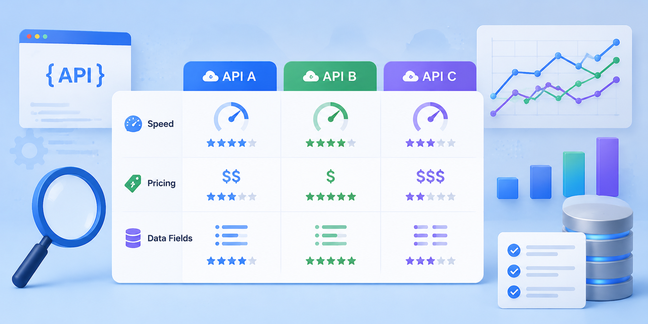



When a team builds rank tracking, an AI Agent, or competitor monitoring, choosing a SERP API requires more than comparing a feature list. Providers may use different billing units, measure speed under different conditions, and return different data structures. This guide presents a reusable SERP API comparison framework: standardize request conditions, measure latency and success rate separately, estimate cost from real workload, and verify whether parsed results fit the workflow. It does not publish provider rankings without comparable test data.
Quick Answer: How Should You Compare SERP APIs?
Do not compare only the advertised fastest response or starting price. Record at least p50 and p95 latency, success rate, timeout rate, cost per 1,000 valid requests, target-field coverage, and limits on location, device, concurrency, and integration. Treat business-critical capabilities as gates first; a provider that fails a required gate should not proceed to weighted scoring.
Fair comparison requires fixed conditions: the same queries, locations, languages, devices, search engine, result depth, concurrency window, and test date. Public pricing and features change, so record the source and verification date before publication.
The Three Most Important SERP API Comparison Dimensions
Speed: Measure the Complete Response, Not One Fast Request
A single fast request does not prove stable batch performance. Fix the query conditions, repeat each combination, and measure the time from request dispatch to receipt of the complete response. This is the most useful provider-level latency metric.
DNS, network connection, SDK processing, and JSON parsing depend on the test machine and implementation. Record them as engineering diagnostics, but do not mix them into a provider speed ranking. Calculate p50, p95, timeout rate, and success rate. For concurrency tests, record the concurrency window so queueing is not mistaken for single-request latency.
Pricing: Calculate the Real Workload
SERP APIs commonly charge per request, result page, credit, or plan allowance. Convert the business requirement into request volume first:
Monthly base queries = keywords × locations × devices × collection runs per month
Monthly billable requests = monthly base queries × pagination/depth factor + failed and retried requests billed under the provider’s rules
For example, 100 keywords across 2 locations and 2 devices, collected weekly, produce 1,600 base queries. If each query needs two result pages, apply a depth factor of 2. Add failed attempts and retries when the provider bills them. Never assume failed requests are free.
Parsed Data: Check the Fields the Business Actually Needs
The value of structured JSON is not the number of fields. Check whether each candidate returns rank, title, page URL, and snippet, then inspect whether ads, People Also Ask, videos, knowledge panels, and other modules have clear objects and stable identifiers.
Field names and types may differ. One provider may return link, another url; rank may be a number, string, or nested object. Verify sortability, URL completeness, module identification, and the amount of transformation needed before loading data into a database, report, RAG workflow, or competitor monitor. Confirm specific fields against current documentation and live responses.
How to Design a Fair SERP API Test
Build the test matrix before sending requests. Include query type, country or location, language, device, search engine, result depth, concurrency, and test time. Cover branded, generic, long-tail, and competitor queries where possible. Fix the provider list, plan, request parameters, test date, and client timeout.
Repeat each combination and save start time, completion time, HTTP status, response size, error type, and retry count. Use the same client timeout, concurrency window, and retry policy, and retain a reference to each raw response. A practical record can use these fields:
| Field | Purpose |
|---|---|
| provider, plan | Identify the service and pricing condition |
| query, location, language, device | Record search conditions |
| search_engine, result_depth, concurrency | Record test boundaries |
| started_at, completed_at, latency_ms | Calculate request time |
| status_code, error_type, retry_count | Analyze failures and retries |
| response_size, cost_estimate, raw_response_ref | Preserve evidence and estimate cost |
A starter matrix of 5 real queries, 2 locations, 2 devices, and 3 repetitions is useful for validating the process, but it is too small for a stable provider ranking. Production decisions should expand query types, time windows, and repetitions, then rerun key tests after pricing, quota, or feature changes.
How to Compare Parsed SERP Data
Create a field-coverage table. Put business requirements on the left, then record each API’s corresponding object, field type, stability, and required transformation. Check four areas:
- Core results: rank, title, URL, snippet, and collection time.
- Result modules: ads, People Also Ask, videos, and knowledge panels with a clear
result_typeor equivalent. - Consistency: stable field types and nesting across repeated requests.
- Usability: effort required to load results into databases, reports, RAG retrieval, or competitor monitoring.
More fields do not automatically mean a better fit. If the use case needs stable rankings and source URLs, a larger but unstable object can increase maintenance cost. Start with query, location, device, position, title, link, snippet, result_type, serp_features, and collected_at, then adapt the checklist to the use case.
Choosing a SERP API by Use Case
- SEO rank tracking: prioritize stable ranking fields, location and device parameters, batch collection, and history implementation cost.
- AI Agent / RAG: prioritize response latency, concurrency controls, snippets, and source URLs.
- Market research and competitor monitoring: prioritize market coverage, result modules, repeated collection, and export options.
- Small-scale validation: prioritize documentation, integration effort, minimum commitment, and trial capacity.
The Metrics That Should Drive the Final Decision
After applying capability gates, use a weighted scorecard for latency and success rate, valid-request cost, field coverage, integration effort, location/device coverage, and support. Record the test evidence, source, and date beside each score. Include engineering workload: a low unit price can still produce a high total cost if the team must build extensive normalization and error handling.
Keep the raw test data and rerun key tests after changes to plans, billing, documentation, or response structure. The final decision should answer three questions: does the service meet hard requirements, is the cost acceptable at real workload, and can the team reliably put its results into the existing workflow?