How to Scrape Google Local Pack Results
Learn how to scrape Google Local Pack results, what local business data you can collect, common SEO use cases, example API request structures, and what to compare before choosing a SERP API.
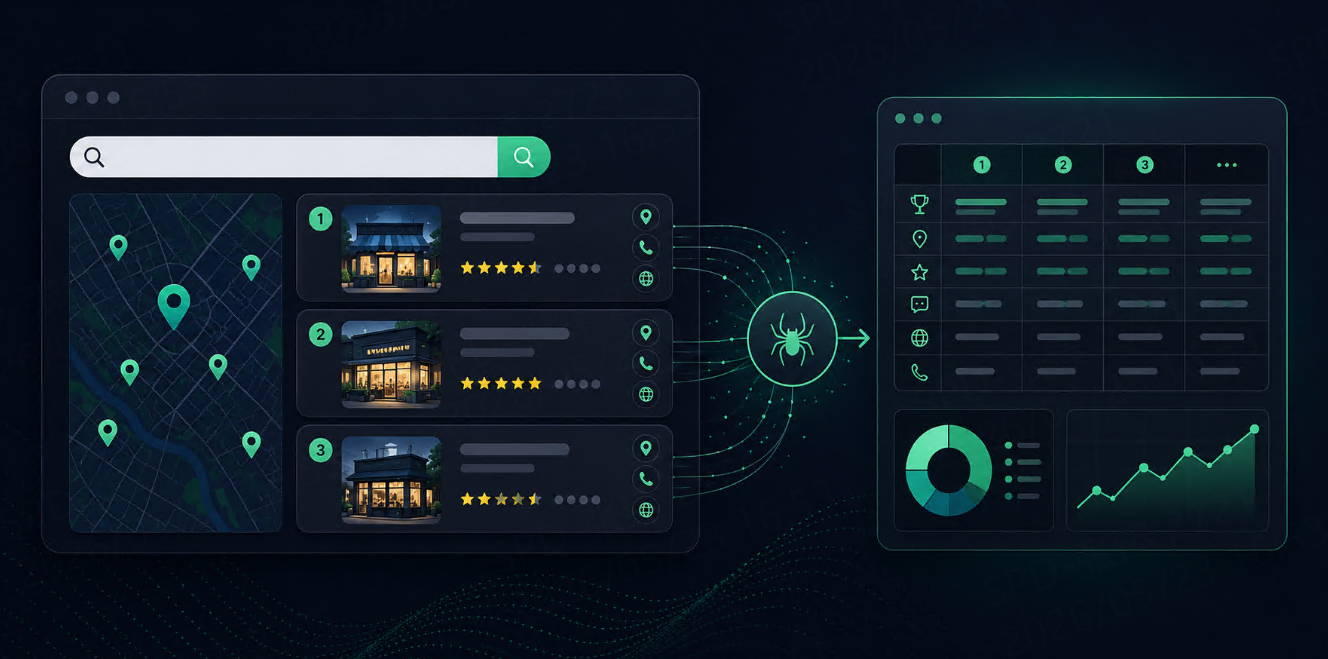



Google Local Pack results are the business listings that appear near the top of Google when a query has local intent, such as “dentist near me,” “coffee shop in Austin,” or “best plumber in Chicago.”
For local SEO teams, these results are more important than normal blue links. They show which businesses are visible in a specific city, neighborhood, or service area.
To scrape Google Local Pack results, the safest workflow is to use a SERP API, send a localized search query, receive structured JSON, and extract fields such as business name, ranking position, rating, review count, address, phone number, website, and place ID.
What Data Can You Extract?
A Google Local Pack result usually contains business-level fields rather than standard organic fields.
|
Field |
Why It Matters |
|
|
Local ranking position |
|
|
Business name |
|
|
Average customer rating |
|
|
Review count |
|
|
Local business address |
|
|
Contact number, if available |
|
|
Business website |
|
|
Stable business identifier |
|
|
Latitude and longitude |
|
|
Business category |
|
|
Opening hours, if available |
Basic Local Pack Request
A provider-neutral request may look like this:
{
  "engine": "google_local",
  "query": "coffee shops in Seattle",
  "location": "Seattle, Washington, United States",
  "language": "en",
  "device": "desktop",
  "output": "json"
}
Some providers use google_maps, google_local, or a standard google engine with local results included. The exact parameter names depend on the API, but the idea is the same: define the query, location, language, and output format.
For local SEO, location is not optional. A query like “emergency dentist” may return different businesses in New York, Dallas, Miami, and San Jose.
Example Local Pack JSON
A simplified response may look like this:
{
  "search_parameters": {
    "engine": "google_local",
    "query": "coffee shops in Seattle",
    "location": "Seattle, Washington, United States",
    "language": "en"
  },
  "local_results": [
    {
      "position": 1,
      "title": "Example Coffee Roasters",
      "rating": 4.7,
      "reviews": 1284,
      "address": "123 Pine St, Seattle, WA",
      "phone": "+1 206-000-0000",
      "website": "https://examplecoffee.com",
      "place_id": "ChIJxxxx",
      "gps_coordinates": {
        "latitude": 47.6101,
        "longitude": -122.3421
      },
      "type": "Coffee shop"
    }
  ]
}
Your parser should expect some variation. One API may use local_results, another may use places_results or maps_results. One provider may use title, another may use name.
Python Example: Fetch and Parse Local Pack Results
The following example is provider-neutral. Replace the endpoint and authentication method with your SERP API provider.
import os
import csv
import requests


SERP_API_KEY = os.getenv("SERP_API_KEY")
SERP_API_ENDPOINT = os.getenv("SERP_API_ENDPOINT")


def clean_text(value):
    if not value:
        return ""
    return " ".join(str(value).split())


def fetch_local_pack(query, location):
    params = {
        "engine": "google_local",
        "query": query,
        "location": location,
        "language": "en",
        "device": "desktop",
        "output": "json"
    }

    headers = {
        "Authorization": f"Bearer {SERP_API_KEY}"
    }

    response = requests.get(
        SERP_API_ENDPOINT,
        params=params,
        headers=headers,
        timeout=30
    )
    response.raise_for_status()
    return response.json()


def extract_local_results(serp_json):
    raw_results = (
        serp_json.get("local_results")
        or serp_json.get("places_results")
        or serp_json.get("maps_results")
        or []
    )

    extracted = []

    for index, item in enumerate(raw_results, start=1):
        coordinates = item.get("gps_coordinates") or {}

        extracted.append({
            "position": item.get("position") or index,
            "business_name": clean_text(item.get("title") or item.get("name")),
            "rating": item.get("rating"),
            "reviews": item.get("reviews"),
            "address": clean_text(item.get("address")),
            "phone": clean_text(item.get("phone")),
            "website": item.get("website") or item.get("link") or "",
            "place_id": item.get("place_id") or item.get("data_id") or "",
            "latitude": coordinates.get("latitude"),
            "longitude": coordinates.get("longitude"),
            "category": clean_text(item.get("type") or item.get("category"))
        })

    return extracted


def save_to_csv(results, filename="google_local_pack_results.csv"):
    fieldnames = [
        "position",
        "business_name",
        "rating",
        "reviews",
        "address",
        "phone",
        "website",
        "place_id",
        "latitude",
        "longitude",
        "category"
    ]

    with open(filename, "w", newline="", encoding="utf-8") as file:
        writer = csv.DictWriter(file, fieldnames=fieldnames)
        writer.writeheader()
        writer.writerows(results)


if __name__ == "__main__":
    serp_json = fetch_local_pack(
        query="coffee shops in Seattle",
        location="Seattle, Washington, United States"
    )

    results = extract_local_results(serp_json)
    save_to_csv(results)

    print(f"Saved {len(results)} local results.")
This gives you a clean CSV that can be used for local SEO reporting, competitor analysis, lead research, or internal dashboards.
Add Search Metadata
Local Pack data becomes more valuable when you store the search context with every result.
For example:
def add_metadata(results, query, location, language="en", device="desktop"):
    for result in results:
        result["query"] = query
        result["location"] = location
        result["language"] = language
        result["device"] = device

    return results
A business ranking #1 for “coffee shops” in Seattle does not mean it ranks #1 in Portland. Always store query, location, language, device, and timestamp.
Common Use Cases
Local SEO Rank Tracking
Local SEO teams can monitor which businesses appear for target keywords in each city.
Useful queries include:
dentist in Austin
personal injury lawyer in Miami
best coffee shop in Seattle
emergency plumber in Chicago
nearby car repair shop
Competitor Monitoring
You can track which competitors appear in the Local Pack, how their positions change, and whether new businesses enter the result set.
Multi-Location Brand Monitoring
For businesses with many branches, Local Pack data helps compare visibility across cities, neighborhoods, or service areas.
AI Agents and RAG Workflows
AI agents can use Local Pack results as a source discovery layer for location-based tasks. For example, an agent can collect local businesses, filter by rating and review count, then fetch websites or reviews for deeper analysis.
Choosing a SERP API for Local Pack Data
For Local Pack scraping, compare APIs based on field completeness, location control, schema stability, and successful-request billing.
SerpApi has dedicated Google Local and Google Maps APIs for extracting local business fields such as ratings, reviews, addresses, hours, GPS coordinates, and place IDs.
Bright Data positions its SERP API as a real-time search scraping API with JSON, HTML, and Markdown output, geo-location targeting, and pay-only-for-successful-delivery billing.
Serper.dev lists Google Maps and Places among its supported search types and offers free queries for testing.
Talordata is also worth testing when your workflow needs structured SERP data, geo-targeted search results, JSON / HTML output, and multi-engine coverage. Its product page describes SERP API support for Google and other major search engines, geo targeting, structured output, and successful-request-based usage. Get 1000 free test credits>>
The practical test is simple: run the same local query across the same city in two or three APIs. Compare business names, positions, ratings, review counts, addresses, coordinates, missing fields, and cost per usable result.
FAQ
What is Google Local Pack scraping?
Google Local Pack scraping means collecting structured data from the local business results that appear for location-based Google queries. This can include business names, ratings, review counts, addresses, websites, phone numbers, and ranking positions.
Is Google Local Pack the same as Google Maps?
Not exactly. Local Pack usually appears inside Google Search results, while Google Maps provides a map-based business search experience. They often share business data, but the layout, ranking context, and available fields may differ.
What fields should I extract from Local Pack results?
For local SEO, extract position, business name, rating, review count, address, website, phone number, place ID, category, coordinates, query, location, device, and timestamp.
Can I scrape Google Local Pack results with Python?
Yes. The easiest way is to call a SERP API with Python, receive structured JSON, parse the local result array, normalize fields, and export the data to CSV or a database.
Final Thoughts
Scraping Google Local Pack results is mainly about collecting structured local business data from search results.
Start with a clear query and location. Then extract the fields your workflow needs: business name, position, rating, reviews, address, website, phone, place ID, and coordinates.
For local SEO, this helps track visibility by city or neighborhood. For competitor research, it shows who appears for high-intent local queries. For AI agents, it creates a structured source list for local tasks.
The best workflow is simple: send a localized query, receive Local Pack JSON, normalize the fields, store metadata, and compare results over time.